
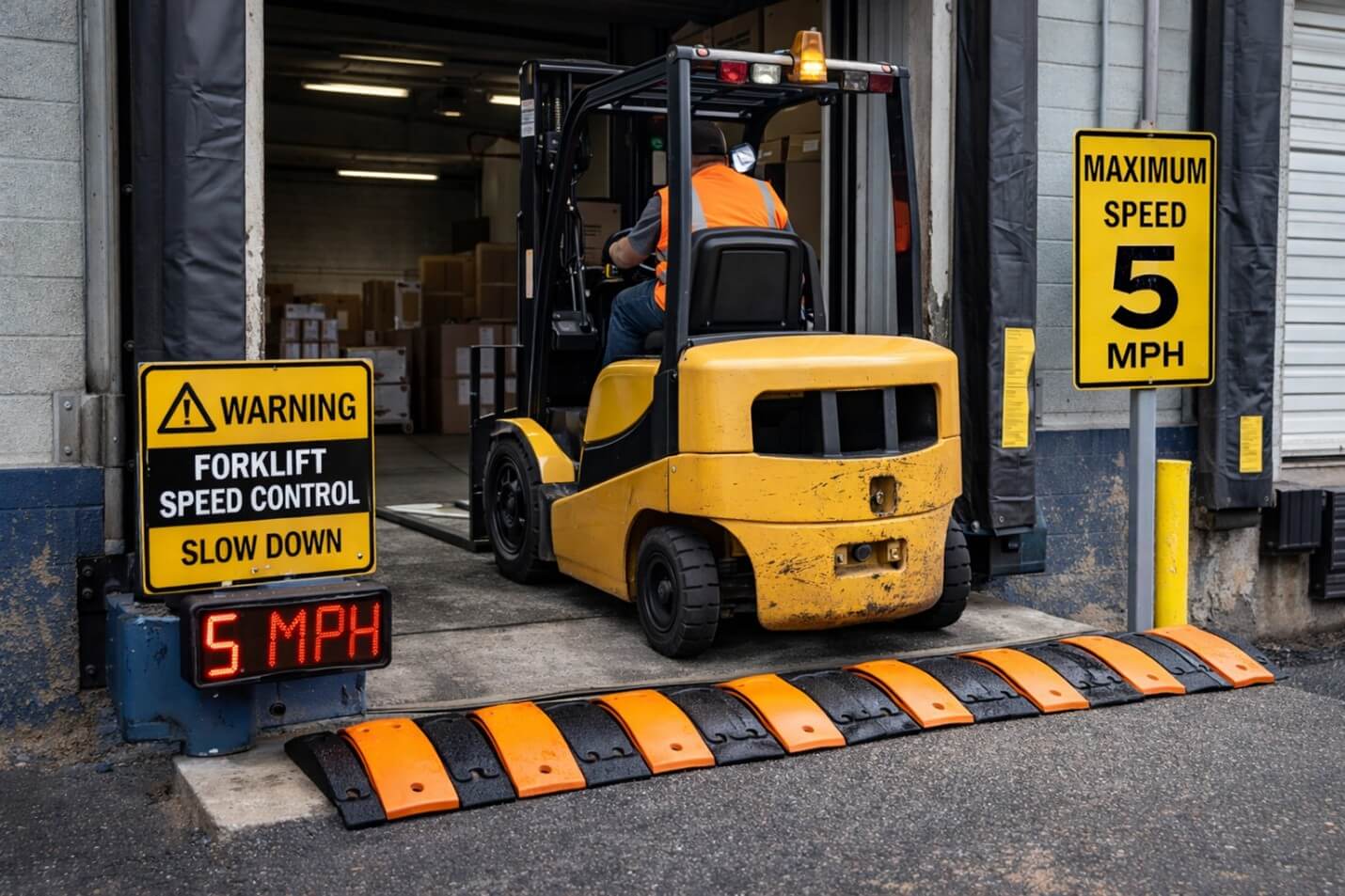
Forklift Speed Control for Loading Docks: How Speed Zones Reduce Risk
Have you ever watched a dock run smoothly for hours, then go sideways in one fast minute because someone came in hot near a trailer mouth? Loading docks punish small mistakes. You deal with blind exits, tight turning space, mixed traffic, and pressure to keep doors turning. That mix makes forklift speed control feel less like a “nice to have” and more like basic warehouse safety.
We will map the real dock hazards, show how speed zoning lowers risk, and lay out a setup that protects pedestrian safety without forcing your whole building to crawl.
What Speed Zones Mean in Forklift Speed Control
A speed limiter sets one maximum speed everywhere. That works in theory, but docks do not behave like open travel lanes. Risk changes by the meter.
Speed zoning takes a different approach. It uses programmable speed limits by area, so you can run a strict speed cap in loading bay safety zones and keep normal speeds in clear aisles. Think of it like warehouse traffic management with enforcement baked in, not just a sign on a wall.
Most dock layouts end up with a few predictable zones:
- Dock door approach and edge-of-dock lane
- Trailer mouth and inside-trailer movement
- Staging and marshalling lanes
- Crosswalk speed enforcement near admin windows and walk paths
- A main travel aisle beside the dock area (kept separate so flow stays strong)
That structure matters because it matches how incidents happen. Operators do not speed the same way everywhere. They speed where the space looks open, then they carry that speed into a spot where visibility drops. Now, let’s connect this to the dock hazards you can control.
Why Loading Docks Benefit Most From Speed Zones
Docks create “speed traps” in the literal sense. The environment invites momentum, then it throws a hazard right after it.
Here are the risk points where speed makes outcomes worse:
- Trailer entry and exit visibility shifts fast, especially from bright dock aprons to darker trailers
- Tight turns and tail swing near dock doors, staging corners, and wrap areas
- Congestion during peak receiving and dispatch, with forklifts weaving around parked pallets
- People stepping into travel paths for checks, paperwork, photos, seal verification, or damaged freight notes
You can train around these issues, but you also need accident prevention controls that hold up when the dock gets busy. Each year in the U.S., nearly 100 workers die, and another 20,000 suffer serious injuries in forklift-related incidents, according to a NIOSH alert that cites BLS data. That number does not even separate dock vs non-dock areas. It still tells you one thing: you cannot rely on good intentions during peak hours.
Speed zoning supports near-miss reduction in two ways:
- It removes the “choice” to push speed in pedestrian-heavy zones.
- It keeps productivity in low-risk lanes, so operators do not feel punished for following the rules.
Next, we should talk about the part most teams miss: speed zones only work when the setup fits how people drive.
How Speed Zones Reduce Risk Without Killing Flow
The simple idea stays the same across every facility: keep open routes productive, slow only the meters where risk spikes.
You will see that spike in a few places:
- Door mouths (constant starts and stops)
- Blind corners (people appear late)
- Crossings (mixed traffic areas)
- Tight turns (load swing and tail swing)
When you control speed by zone, you stop treating the whole site like a pedestrian corridor. You also reduce the “speed creep” problem. Operators often start a shift with good intent, then gradually push speed when nothing bad happens for a while. A forklift speed limiter system that reacts to location stops that drift.
Still, zoning cannot carry the whole program. A strong dock safety system includes:
- Clear floor markings and loading/unloading speed policy signage that matches the real travel path
- Housekeeping that protects the turning radius and keeps sightlines open
- Safety audits that check behavior at peak times, not just during quiet hours
- Coaching and operator behavior monitoring that focuses on repeat patterns, not one-off blame
That sets up the next step: planning zones that operators respect.
Planning Forklift Speed Control for Your Loading Dock
Step 1: Walk the dock and mark “risk transitions”
Do not start with a software screen or a vendor template. Start on the floor.
Walk the dock and mark where risk changes fast:
- Where does visibility change in one step (trailer mouth, curtain-side gaps, stacked pallets)?
- Where do pedestrians appear with no warning (doorways, paperwork windows, restroom corridors)?
- Where do operators reverse, queue, or make tight turns (staging lanes, returns corner, damaged goods area)?
You want a simple output: a map with short notes. Nothing fancy. Just honest.
Step 2: Set zone boundaries that match what people can see
Operators follow rules that feel real. They ignore rules that feel random.
So keep boundaries tight enough to target risk, but not so wide that everything stays slow all day. If a zone feels like “half the warehouse,” you lose buy-in and you get workarounds.
Use visible cues:
- Painted lines at zone entry points
- Signs at eye level, not buried behind pallets
- Simple naming like “Door Mouth Zone” or “Crosswalk Zone.”
Step 3: Write the rule in plain language
A good speed management policy fits in one sentence per zone.
Example:
- “Slow speed at doors, crossings, and tight turns.”
- “Normal travel speed in the clear travel aisle only.”
Supervisors should enforce it the same way across shifts. That is how you support site safety compliance without turning every conversation into an argument.
Dock zone setup example
Below is a simple layout you can copy into your fleet safety program plan. Keep it practical. Adjust to your facility.
| Dock Area Zone | Primary Risk | Control Goal | Supporting Controls |
| Dock Door Approach | Sudden stops, blind exits | Smooth speed reduction before the door | Floor markings, stop points, mirrors |
| Trailer Mouth and Inside Trailer | Visibility drop, uneven surfaces | Low, steady travel speed | Lighting checks, trailer securement process |
| Staging and Marshalling | Congestion, tight turns | Reduce weaving and load swing | One-way lanes, no-parking buffer areas |
| Crosswalk and Admin Window | Pedestrian conflict | Enforce slow speed at crossings | Barriers, high-visibility signage, and crossing rules |
| Main Travel Aisle Near Docks | Through traffic | Keep flow without dock-style limits | Segregation lines, clear aisle discipline |
Now you have the plan. The next question is how to implement it with a system that can hold those rules without friction.
How We Use PACE-ONE™ ZSC to Make Dock Speed Zoning Practical
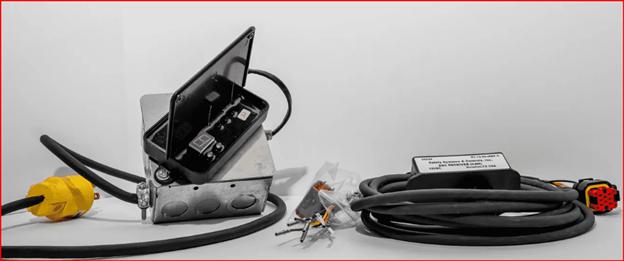
A lot of warehouses start with signs, then add supervision, and still see the same speeding patterns at dock doors. That is when teams look at a forklift safety system that enforces speed limits by location.
On our side, we built PACE-ONE™ ZSC around a simple need: keep fast zones fast and slow zones slow. Docks demand that balance. Travel lanes need flow. Door mouths need control.
We also designed it for real layouts that change. Facilities move staging lanes, add new doors, shift pedestrian walk paths, and expand yards. So we focused on configurable zoning and quick adjustments, not a setup that locks you into last year’s layout.
One more point that matters for buyers: we control speed through the vehicle interface, using throttle control and traction logic, not by tying into braking. That keeps the driving feel predictable, and it supports smooth deceleration, which operators accept more than harsh slowdowns.
From here, implementation comes down to discipline. Not just hardware.
Implementation Checklist
Before you switch anything on
- Refresh floor markings and dock signage so zone boundaries look obvious.
- Clear choke points like wrap clutter and pallets sitting in turning radii.
- Confirm your safety audit process covers peak activity windows. Quiet-time audits hide problems.
Go-live and fine-tuning
- Test the zone map during quiet hours and peak windows. Both matter.
- Watch for new queues. Adjust zone edges if you create a bottleneck near staging.
- Log exceptions. If a zone causes frustration, fix the layout or boundary. Do not blame the operator first.
That leads into measurement, because leadership will ask one question: did it work?
Measuring Forklift Speed Control Results
Track safety and performance together. If you only track incidents, you miss the early signals. If you only track throughput, you ignore what people risk to hit numbers.
Use a short KPI set:
- Near-miss reports around dock doors and crossings
- Damage events and repair costs (dock plates, racking, barrier hits, product loss)
- Door cycle time and queue length during peak windows
- Compliance reporting from event logs, if your system supports audit trails
When you review results, look for patterns by shift and by door. You will often find one hotspot door that drives most issues.
Final Thoughts
Docks change risk every few meters, so a single speed cap never fits for long. Speed zones allow you to slow down the hazardous parts and keep the rest of the operation moving. If you want a practical next step, map your dock risk transitions this week, set clear zone rules, and test them during peak hours.
When you are ready to enforce those rules with forklift speed control, order a dock speed zoning review and upgrade plan with us today.
FAQs
1) Can speed zoning work in outdoor yards as well as indoor docks?
Yes. Yard setups often use GPS for outdoor positioning, then switch to indoor positioning methods inside the building. Many sites use a mixed approach so logistics yard safety does not stop at the dock line.
2) What indoor positioning options work best for speed zoning?
Facilities often choose RFID zone triggers, BLE beacons, or UWB positioning based on accuracy needs, installation constraints, and interference. You should match the tech to the risk. Tight crosswalk zones need tighter location accuracy than a wide travel aisle.
3) Do speed systems support operator ID and access control?
Many modern setups support driver ID or operator ID and can restrict speed profiles to authorised operators. That helps when you assign higher-speed travel access only to trained operators or specific equipment classes.
4) What should a site include in a “speed compliance” audit trail?
A useful audit trail includes zone entry and exit events, overspeed events, exception events, and corrective action tracking notes tied to date and shift. That makes incident investigation support easier when leadership asks for proof.
5) Can speed zoning integrate with telematics and fleet management tools?
Many fleets connect speed events to telemetry or telematics platforms for fleet management integration. That supports safety KPI reporting and helps teams compare doors, shifts, and forklift types.
